



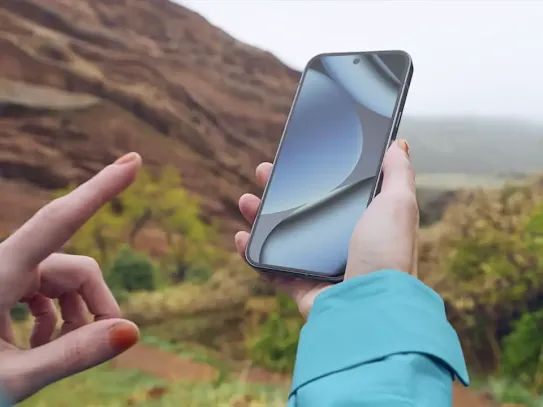
We’ve all felt that moment of panic — you reach for your phone or earbuds and realize they’re not where you thought they’d be. With Find Hub, help is just a tap away. It’s the easiest and quickest way to find your misplaced Android devices and other important items. Find Hub also lets you securely share real-time location with family and friends. Previously known as Find My Device, Find Hub is designed to keep you connected to the things and people that matter most.
What is Find Hub and how does it work?
At its core, Find Hub uses an opt-in network made up of millions of Android-powered devices around the world. These devices work together securely and anonymously to help you locate your lost items, even when they’re offline. It’s a built-in feature of the Android operating system, designed to give you extra peace of mind.
You can use Find Hub to locate Android phones and tablets, compatible earbuds, and tracker tags that can be attached to things like your backpack, keys, bike, and more.
Find Hub uses secure Bluetooth signals to detect nearby devices or tagged items. When another Android device in the network passes by your lost item, it securely sends the location to Find Hub. All of this location data is end-to-end encrypted, which means only you can see it, and your privacy is always protected.
Key features: more than just finding your phone.
Find Hub does more than locating your lost devices. It creates a comprehensive ecosystem of security and connection, protects your data and shares your location.
Locate your devices and accessories.
One of Find Hub’s most helpful features is the ability to see your device or accessory on a map in just a few taps. You can locate all kinds of items, including:
- Your Android phone or tablet, even if it’s on silent or offline;
- Compatible earbuds, allowing you to find a single missing earbud or the case;
- Tracker tags that you can attach to your keys, purse, wallet, or luggage;
- Other compatible items from partner brands that have a “Works with Android” badge.
Find out more about devices compatible with Find Hub.
Find your nearby device by having it play a sound.
When you know your missing device is nearby, use the "Play Sound" feature to find it quickly. It rings your device at full volume for five minutes, even if it’s on silent mode. If your device is within 10 meters, the Find Nearby feature shows you a shape that fills in as you get closer to your device.
Secure your device and protect your data.
If your device is truly lost or stolen, Find Hub gives you useful tools to protect your personal information.
Mark as Lost: You can remotely lock your device with a PIN or password and display a custom message on the lock screen, such as a contact number for the person who finds it.
Erase Device: As a last resort, you can permanently wipe all data from your device to ensure that your private information never falls into the wrong hands.
Securely share your location
Securely share your phone's location with up to 10 trusted family members or friends. This can be useful for coordinating meetups or simply letting them know you’ve arrived safely. This sharing is temporary, secure, and only with the people you choose.
Use other Android phones to locate your device with the Find Hub Network.
Nearby Android devices that participate in the network use Bluetooth to help pinpoint where your lost item was last detected. Your Android device can do the same to help other people find their lost items. You can choose whether to participate everywhere, or only in busy places like airports or city streets.
Note: To use Find Hub to locate an item, you must set a PIN, pattern, or password on your device.
How to use Find Hub on Android.
Find Hub is automatically enabled on compatible Android devices when you’re signed in with a Google account. To find your device, you’ll need to use the app or website on another device. Here’s a quick guide to using Find Hub’s features.
Setting up Find Hub on your device.
First, set up Find Hub so that your Android device or accessory can be found.
- Sign in to a Google Account
- Turn Location on
- Confirm that Find Hub is on
- Ensure your device is listed on Google Play
- Install the Find Hub app
- Create a 2-Step Verification backup code
Learn more about making sure you’re ready to find your device.
Using Find Hub.
- Open the Find Hub app on an Android phone or visit the Find Hub website from any browser.
- The app will show you a list of all the devices connected to your Google Account. Just tap on the one you’re looking for.
- Enter your PIN or password: Devices running Android 9 or higher may ask for a PIN. If your device uses Android 8 or lower, you may need to enter your Google password.
- Once a device has been selected, you’ll be able to see its last known location on a map.
- From there, you can play a sound, mark the device as lost, or erase your data depending on what you need. Find out how to secure or erase a lost Android-powered device.
Your privacy and security come first.
Find Hub was designed to securely handle your data. It uses end-to-end encrypted location information with the same technology used by Google Password Manager. This means the location of your devices and accessories is only visible to you and the people you choose.
How your data is kept private.
Find Hub and the Find Hub Network are built to give you control and peace of mind. The location of your connected devices is always kept private from Google.
Here are more ways we keep your data private:
- End-to-end encryption: When your device location is shared through Find Hub, it’s encrypted from start to finish. No one other than you can see your device location, not even Google.
- Unknown tracker alerts: Find Hub will automatically notify you if an unknown Bluetooth tracker is detected in your luggage.
- Find Hub uses anonymized, aggregated information from several nearby Android devices to help pinpoint a lost item — without revealing any identifying details about the people or devices that assist in the process.
- You’re always in complete control: Choose which of your devices are visible, adjust your privacy settings, or leave the network at any time.
Learn more about how Find Hub protects your important data.
How do I opt out of Find Hub?
If you decide not to participate, you can easily opt out by managing your preferences in your Google Account settings. If you change your mind later, you can always opt back in just as easily.
To change your settings or turn off Find Hub completely:
- Go to Settings on your Android device
- Choose Google, then All Services
- Tap Personal & Device Safety
- Select Find Hub, and change your settings, or turn off the option to allow the device to be located.
Find more information on how to change your settings or turn the feature off
Find what matters—with confidence.
With Find Hub, staying connected to the things that matter most has never been easier — or more secure. Whether you’re locating your phone or earbuds, keeping track of your keys with a tag, or helping someone else find theirs, Find Hub gives you peace of mind every step of the way.