



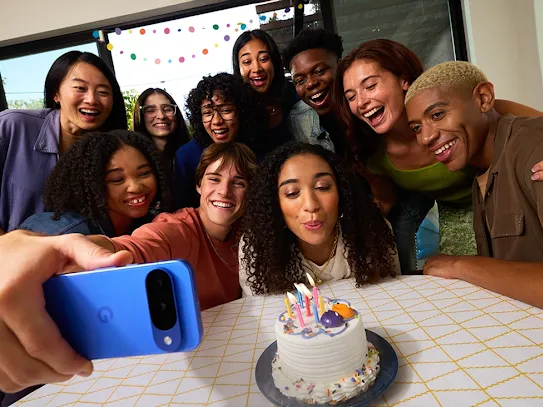
Bring more joy to the chat. Reimagine any photo, express yourself with creative and personalized memes and connect with your friends using Remix in Google Messages, the new AI photo editor only on Android.
Remix: the AI photo editor from Android.
Our digital conversations are filled with photos that capture memories, jokes, and everyday moments. But what if those pictures could be personalized to better capture what mood you want to communicate? Introducing Remix, an intelligent new feature from Android that gives you the power of a creative photo editor right in your message thread, allowing you to redecorate a room right from a photo, turn a family pet into an action figure and much more.
What is Remix in Google Messages?
Remix allows you to reimagine any photo without ever having to leave the app. It's powered by Nano Banana, our Gemini image model. Think of it as a personal photo editor in your pocket, but instead of just tweaking aspects of the photo, you can completely reimagine it, even working in tandem with your friends on Google Message, remixing the same image back and forth until you achieve the results you want.
It uses clever prompts to help you transform images, creating personalized memes or even checking if your room would work with a new decor, or if your friend would look good with a different haircut. It’s all about adding a new layer of fun to your daily chats with friends and family. And the best part: even though you can only Remix on Android, you can send the results to everyone.
Is Remix in Google Messages the same as the AI editing feature in Google Photos?
While Google Photos has its own AI photo editing tools, Remix in Google Messages is a brand-new feature designed specifically for real-time conversations. It’s built for those in-the-moment edits that can instantly liven up your chats. This feature lives exactly where your conversations do, right inside Google Messages.
Your step-by-step guide to creating and remixing photos.
Getting started with Remix in Google Messages is simple. Here’s how you can access the feature and start transforming your pictures in just a few taps.
- Choose your canvas: You can start with any photo in a chat. Either long-press a picture you’ve received, or open the gallery to select a new one.
- Tap Remix: After you select a photo, look for the “Remix” button. Tap it to open up the tool.
- Unleash your imagination: Here’s where the fun begins. Choose from a list of suggested prompts or write your own custom one. Think: “turn this into a watercolor painting,” or “change my hair into platinum blonde”.
- Watch the magic happen: The tool will take a few moments to generate the new remixed photo based on your prompt.
- Perfect and send: Once you’re happy with the result, you can add an optional caption to give your creation some context. Then, hit send to share your masterpiece with the chat.
Get creative: fun ways to use Remix in your chats.
Remix moves beyond simple filters and into the world of true personalization, opening up a whole new way to communicate visually. If you’re looking for some inspiration, here are a few fun ways to use the feature.
Create personalized memes and reactions.
Remix is the ultimate tool for making personalized memes based on your own photos and inside jokes. Why not create a birthday invite out of a funny photo of a friend, adding a party hat to his head and confetti all around him? Or, transform a selfie into a hyper-specific reaction picture for the perfect comeback in the group chat.
Visualize ideas and tell better stories.
This powerful tool also has practical applications – you can use it to visualize ideas and bring your stories to life in a new way. Thinking about a new look? Use a prompt like “give me a short bob haircut” and ask your group chat for their honest opinions.
Start a creative collaboration in group chats.
The feature truly shines in group chats, which thrive on back-and-forth dialogue. Start a creative collaboration where friends take turns remixing the same photo – you’ll see how building on a joke can create a shared story, one edit at a time. Please note that this feature is only available if all participants in the conversation are using Google Messages.
A whole new way to chat.
Remix brings a different dimension of fun, creativity, and personal expression to your everyday conversations. It’s a new way to share a little more joy with the people you talk to the most.
Ready to bring more joy to the chat? Open Google Messages, pick a photo and let your imagination run wild with Remix.