



What’s new.
From keeping track of important items in Find Hub to reducing motion sickness during your ride, here are the latest features in the September Android Drop.

Express yourself.
Set chat themes, remix photos, plan an outfit, and more. See the new features designed to help you show your style.
Express yourself.
-
Google Messages
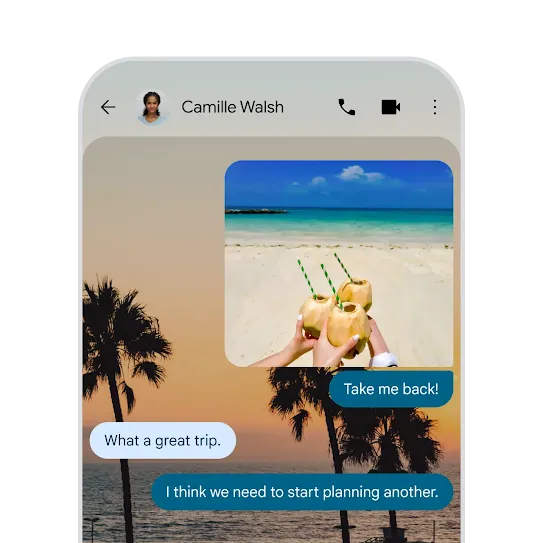
Personalize your chats to match your style.
Add your own background photo then choose text bubble colors to match.1 -
Google Messages
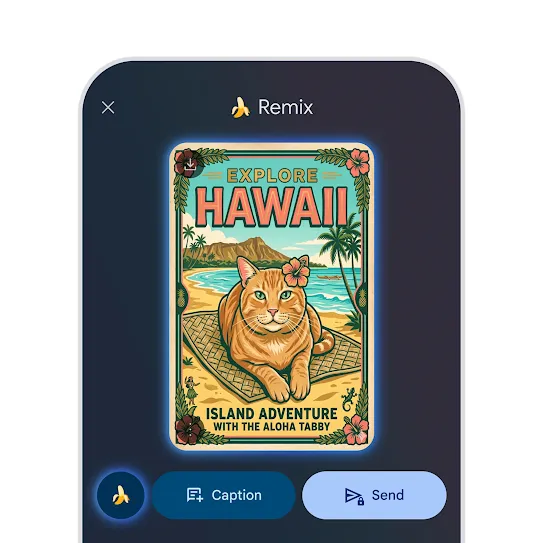
Remixing photos gets better with Nano Banana 2.
Combine multiple photos and create realistic images with clear text and broader world knowledge.2
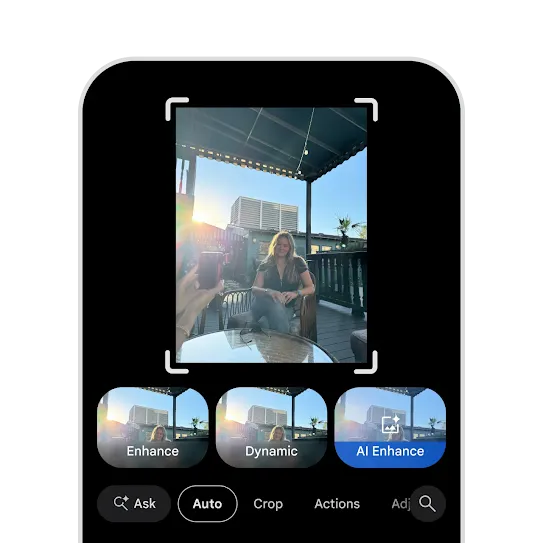
Elevate your photos in a tap.
-
Google Photos
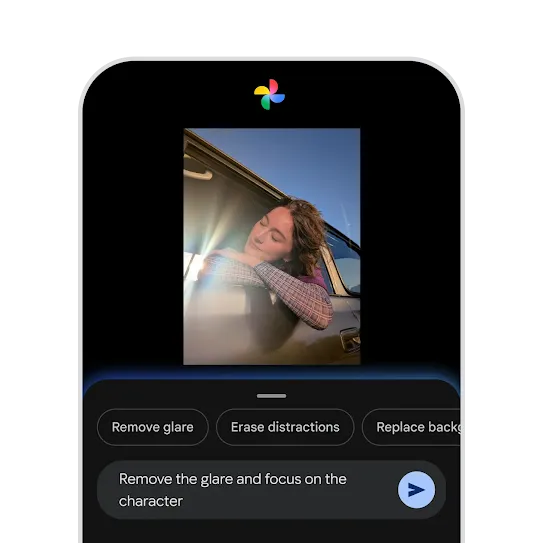
Make complex photo edits just by asking.
From fixing a glare to removing distractions, describe the edits you want and watch them appear in seconds.4 -
Google Photos
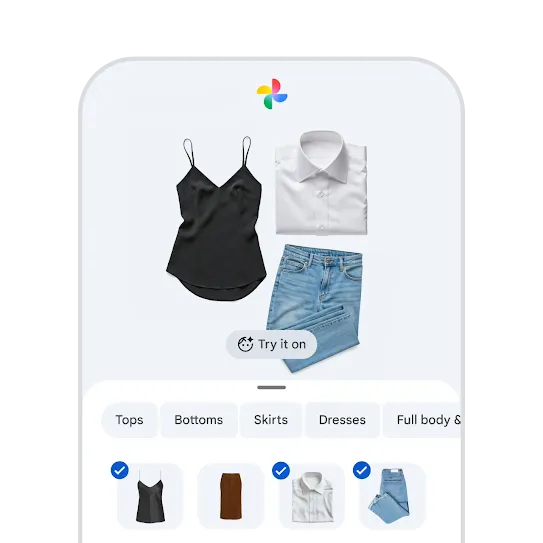
Try on outfits in your own digital wardrobe.
Google Photos will catalog the clothes from your photo library so you can mix, match, and save your favorite looks.5
Superpower your everyday.
Ease motion sickness on rides, collaborate on notes in a chat, and more. Check out the features built for making everyday moments better.
Superpower your everyday.
-
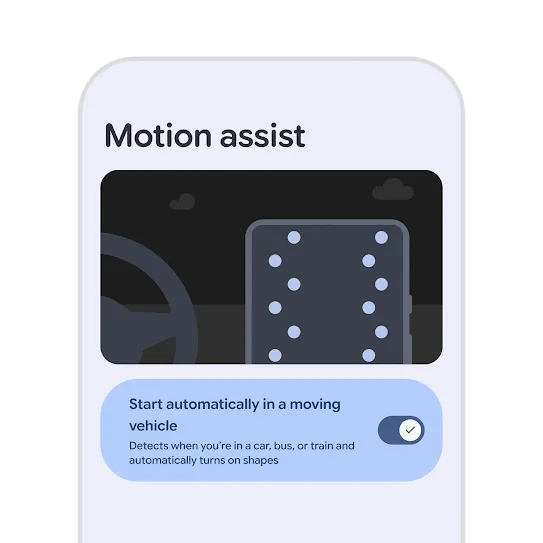
Motion assist
Reduce motion sickness during your ride.
Add a subtle bubble overlay to your screen that moves with the vehicle so you can keep reading, browsing, and watching while in the passenger seat.6 -
Google Messages
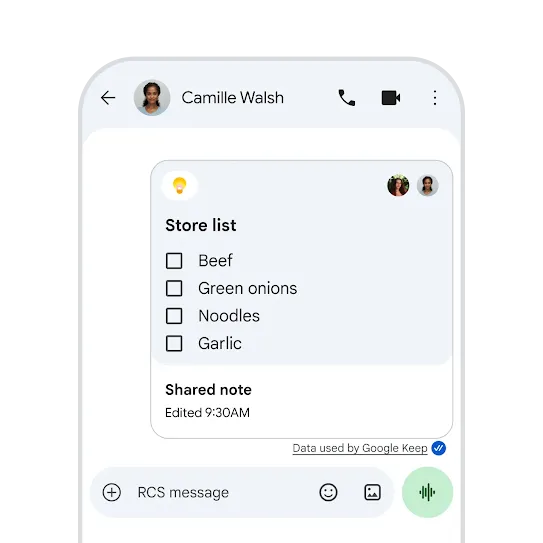
Edit notes with friends, right from your chat.
Create a new list or note right in Google Messages and let the whole chat edit and add to it.7
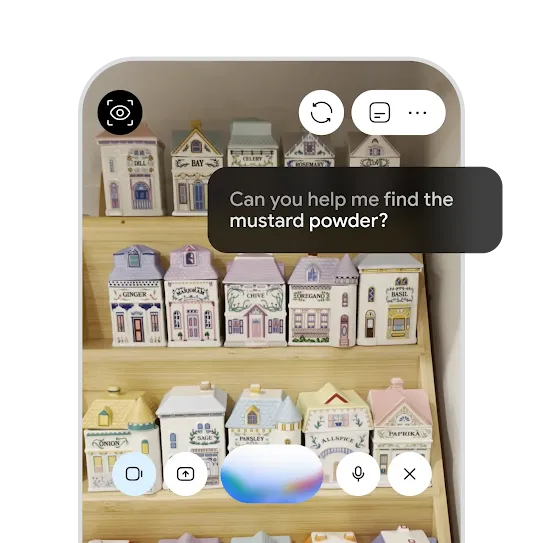
Hear descriptions of what’s in front of you.
-
Google Search
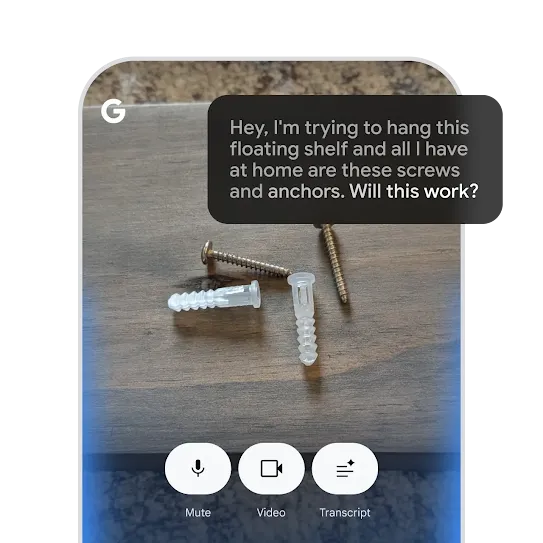
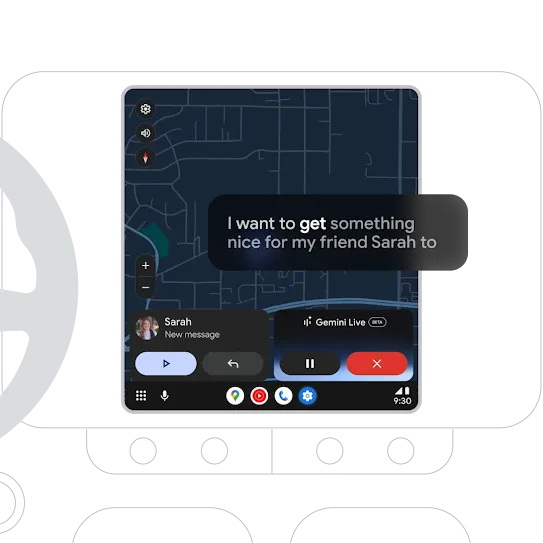
Talk naturally for a new way to explore.
Get answers through a real-time conversation, whether it’s installing a shelf or solving a math problem – now available globally.9 -
Gemini Live
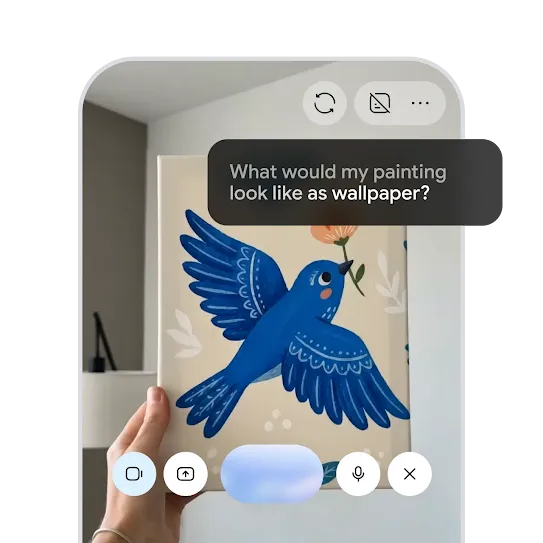
Create new images from anything you see.
Point your camera and ask Gemini Live to transform your surroundings. Try redesigning your bedroom or putting your dog in a painting.10
Stay connected.
Keep track of important items, see all your calls in one place, and more. Explore the new features helping you stay connected.
Stay connected.
-
Find Hub
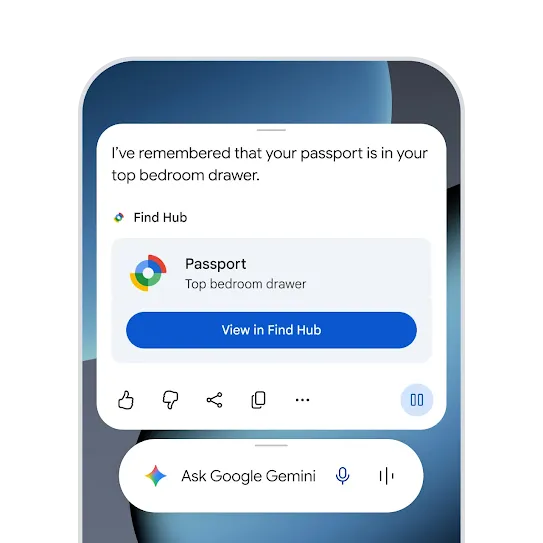
Keep track of where you put important items.
Soon, you'll be able to ask Gemini to remember in Find Hub where you placed items like spare keys or passports. It will save the location in Find Hub so you can find them later.11
See the new features in action.
Link to Youtube Video (visible only when JS is disabled)
Android 17.
New multitasking, gaming, and creator tools make your device better than ever.
Read more
Android 17.
-
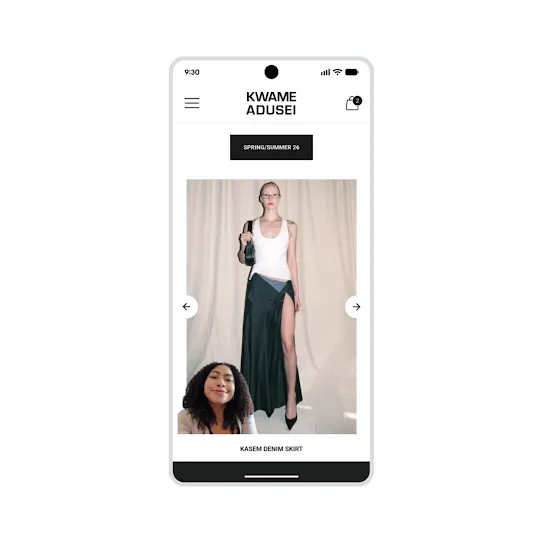
Screen Reactions
Reactions in real time.
Create screen recordings that capture both your screen and your front-facing camera. React to videos, articles, or comments at the same time. Coming first to Pixel devices this summer. -
 Bubbles
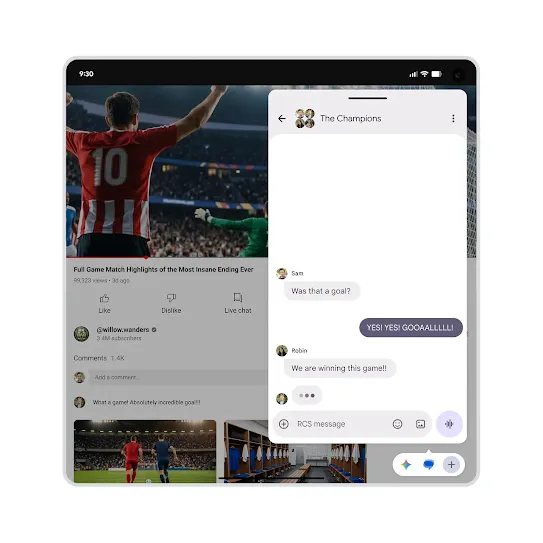
Make multitasking easier.
Bubbles, a notification feature on Android, now goes beyond chats. You can open and switch between more than two apps. We’re also introducing a new bubble bar interface for foldable devices.
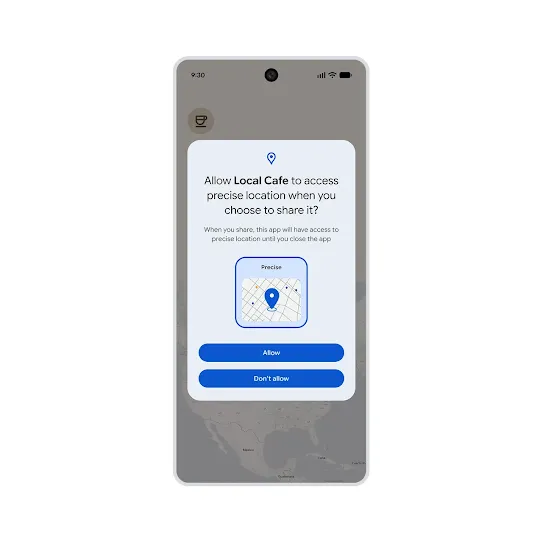
Get precise and peace of mind.
-
 Gaming controls
Make the game yours.
Android lets you remap the controls for your gamepad to customize your gaming experience. And your foldable device can turn into a gaming machine with new dedicated controls. -
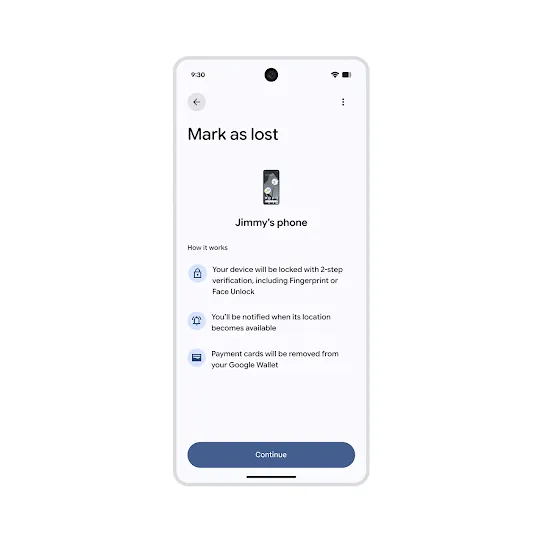 Mark as Lost
More enhanced security.
‘Mark as lost’ feature on Find Hub locks your device and can’t be unlocked without your fingerprint or Face Unlock. Your details on Google Wallet are automatically removed, while personal data and settings are disabled.
FAQs
Here’s a quick breakdown of the differences between Android OS updates, Android security updates, Android Drops and Pixel Drops. Please note that device manufacturers also release their own separate software and interface updates.
|
Release Type |
Scope and purpose |
Delivery method |
Exclusivity |
|---|---|---|---|
|
Android OS updates |
Less frequent, system-wide firmware upgrade (e.g., Android 17) |
Download and install |
Broad Android ecosystem, varies by device |
|
Android security updates |
More frequent, routine patches to address vulnerabilities and fix bugs |
Download and install |
Broad Android ecosystem, timeline varies by device |
|
Android Drops |
Quarterly push of new features in popular Android apps and system services from Google (e.g., Google Messages, Quick Share) |
Google Play Services or App updates |
Broad Android ecosystem (including Google Pixel phones) |
|
Pixel Drops |
Quarterly device-specific features (e.g., Gemini Nano) |
System Settings or Pixel updates |
Google Pixel phones only |
Usually, you do not need the latest OS update. Because Android Drops deliver features through Google Play Services and individual app updates, many new features are backward compatible with older Android OS versions. However, certain advanced capabilities may still require specific hardware or a more recent OS version to function properly. This availability information is included for every feature in every Android Drop.
Note that since these updates roll out gradually, it may take a few days for new features to appear on your device.
No. Android Drops are stable, official feature releases delivered through app updates and Google Play Services. Drops are separate from the Android OS Beta Program. If your device is experiencing system-level instability, frame drops, or touchscreen issues, these are typically tied to an opt-in OS beta build, not to publicly launched quarterly Android Drop features.
The Android 17 update is rolled out in staged batches to ensure a smooth, stable transition for all users. Please note that eligibility and the exact release date for your specific device depend on your device manufacturer and mobile carrier, and not all devices will be eligible to receive the Android 17 update. For more precise support regarding your device's eligibility, please contact your device manufacturer. You can manually check for the update at any time by going to your phone's Settings > System > System update.
If your Android won't update even though your device shows an update is available, start by ensuring your device is connected to a stable Wi-Fi network, plugged into a charger, and has enough free storage space to download the new software. In most cases, the system will prompt you automatically when eligible, so you usually do not need to try to force an Android update manually.
Don't worry, it's completely normal for your Android battery to drain a little faster after an update. Your device works a little harder in the background after a major update as it re-indexes files, optimizes apps, and calibrates adaptive systems. This temporary Android update battery drain typically resolves itself within 24 to 48 hours once the background optimization is complete.
If you're experiencing persistent Android update problems or severe system bugs, the best place to get help is the official Android Help Center. There, you can find step-by-step troubleshooting guides and community forums to resolve complex issues with your Android update, ensuring your device gets back to running smoothly.
Live Threat Detection on Android 17 features new dynamic signal monitoring, with on-device AI that continuously monitors app behavior to identify suspicious activity instantly. Threat Detection acts as an advanced, invisible layer of malware protection for Android, stopping threats before they can access your sensitive data.
Android 17's Foldable Gaming Mode introduces a split-screen experience designed specifically for folding devices. When enabled, your game displays on the top half of the screen, while the bottom half transforms into a virtual gamepad for Android. To customize controls, simply tap the game controller icon on the virtual gamepad to switch between inline and staggered layouts, toggle dark mode, or rescale button sizes to fit your exact play style without needing physical accessories.
Be in the mix
with Android.
Sign up to receive tailored emails and texts from Android with news, offers, events, and more.