



- In this article
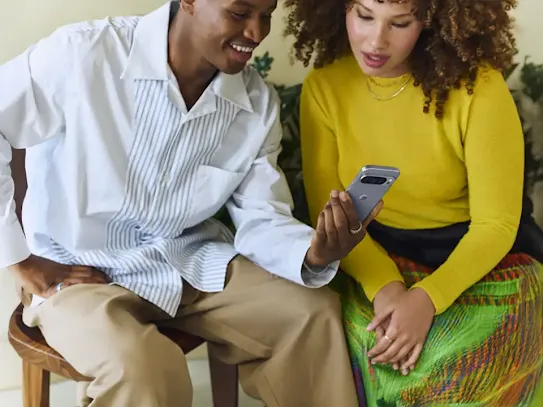
Unleash your inner artist and transform your ideas into stunning visuals with Nano Banana, Gemini's image generation and editing model available on your Android phone.
Nano Banana: A simple way to start creating images with AI.
Have you ever had the perfect image in your head but lacked the time or technical skills to bring it to life? Maybe you wanted to see your dog as an astronaut or imagine yourself in a futuristic city, but professional editing software felt too complicated. That’s where Nano Banana changes everything. It’s a creative studio in your pocket, and this article is your complete guide to understanding what Nano Banana is.
We’ll explore how it works and how you can start using this AI image generation and photo-editing tool to create visuals in seconds—all from your Android device through a long press of the power button or by entering the Gemini app.
What is Nano Banana, and how does it work?
Nano Banana is an advanced AI image generation and editing tool available in the Gemini app. This tool enables you to create, transform and edit images using simple text prompts. It is a very convenient way of visualizing your ideas and letting your creativity shine.
Nano Banana is an AI-powered image generation and editing feature built into the Gemini experience. It’s available at no cost for anyone using the Gemini app , giving you access to a creative tool that you can use directly from your Android device.
How to use Nano Banana: discover the possibilities of AI image generation and editing
Nano Banana goes far beyond the simple filters you might be used to. It’s a versatile AI photo editor designed for true creative expression, giving you fine-tuned control over every detail of your image. Below, we’ve outlined Gemini’s exciting image generation and editing capabilities.
Create and edit with a conversation
The real magic of image editing on Gemini is its conversational approach. Instead of being limited to preset editing options, you can just type exactly what you want to see in your input. Using Nano Banana allows you to add your own touch – put yourself wherever in the world you can imagine (think the Grand Canyon or top of the Eiffel Tower), alter the background of a room to sample new wallpaper, or blend elements of multiple photographs together.
Keep your characters consistent
One of the main strengths of Nano Banana is the ability to maintain consistency and quality of photos across multiple edits. Upload a selfie, and you can change your outfit, hairstyle or location while Nano Banana keeps you looking like yourself.
Blend images seamlessly
Want to get truly experimental? You can ask Nano Banana to merge two different images together. Get creative by uploading a selfie and a picture of a famous painting, and prompt Nano Banana to combine the two photos into one scene.

Using Nano Banana on your Android device: A step-by-step guide.
Getting started with AI image generation on your Android device is simple. This 5-step guide will walk you through how to use Nano Banana, helping you transform your imaginative concepts into high-quality digital visuals in minutes.
1. Getting your Nano Banana experience started
To begin editing your images in Gemini, you have two simple ways to start the Nano Banana feature:
- Dedicated app: Launch the Gemini app directly from your app folder.
- Power button shortcut: On supported Android-powered devices, simply press and hold the power button to start your conversation with Gemini.
The feature is seamlessly built into the Gemini experience.
2. Select an image or spark your idea
The Nano Banana AI image generator app offers complete creative flexibility.
You can start in two main ways:
- Start with an existing photo: Upload a photograph from your phone's gallery to begin experiencing the power of Gemini image editing. Nano Banana allows Gemini to understand the context of an image and apply changes with consistent lighting and perspective. This is ideal for subtle retouching or major scene swaps.
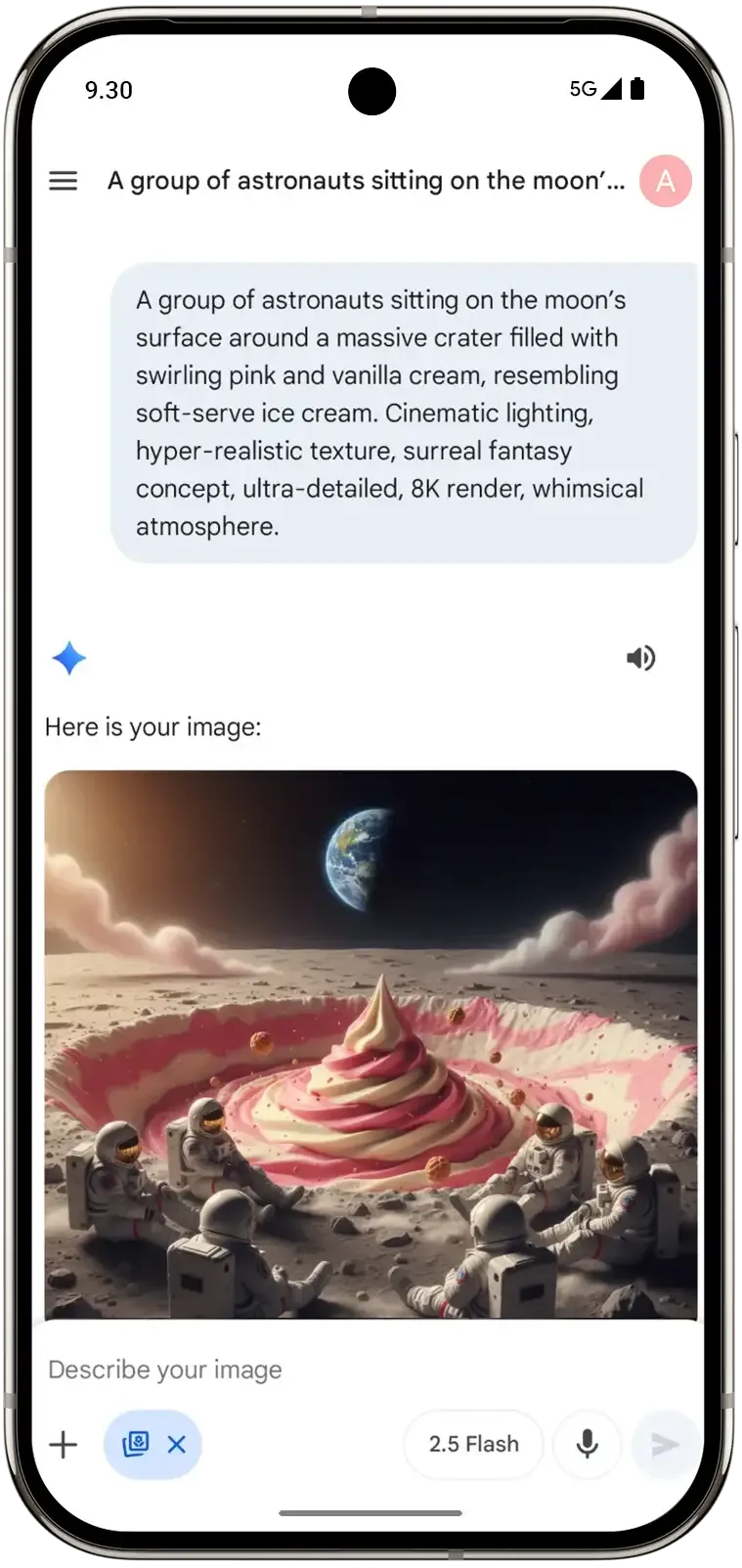
- Start from scratch with an idea: Simply type a detailed description of the image you want to generate. This is the fastest way to see what Nano Banana is truly capable of creating a brand-new, realistic image based on your text.
3. Write your creative prompt
This is where your imagination takes over, and you can be as creative as you like. You have a blank canvas with the freedom and opportunity to paint as you desire. Start with something like “a golden retriever wearing sunglasses” and see what you get. For more control, try a detailed prompt like “a photorealistic image of a golden retriever wearing aviator sunglasses on a sunny beach, captured in a wide-angle shot”.
Tip: The more specific and descriptive your prompt is, the closer the result will be to what you envision.
4. Refine and edit your creation
The first image is just the beginning. You can keep the conversation going with Nano Banana by making small adjustments. Simply type follow-up commands, such as “make the sunglasses red” or “add more palm trees in the background,” to perfect your image.
Nano Banana remembers the previous image it made in the chat, allowing you to make edits until the final image matches exactly what you had in mind at the outset.
5. Share and download your masterpiece
Once you are happy with your creation, you can easily download it to your device or share it directly to your favorite social media platforms to show your friends and family.
Who is Nano Banana for? (Hint: Everyone*)
This tool isn’t just for digital artists. Anyone can explore, experiment and make something unexpected.
Social media content creators
Speed and engagement are key in the social media world. Nano Banana allows you to generate eye-catching visuals for your posts and stories.
- Quickly create visuals: Need an illustration to accompany a text-heavy post? Generate a relevant, high-quality image in seconds, rather than searching through stock photo libraries.
- Specify dimensions: You can even use Nano Banana to generate vertical images specifically tailored for social media stories or shorts, ensuring your content always fits the platform perfectly.
*Compatibility and availability varies. 18+. Create responsibly.
Brand designers and creatives
If you’re a creative professional or a business owner, you can design concepts and ideas that spark inspiration and excitement in your work.
- Mood boards: Generate visual concepts and aesthetic directions in minutes. Exploring visual ideas and communicating them to a team or client becomes faster and more intuitive.
- Marketing materials: Create promotional banners or event designs that are fresh and tailored to your needs, without requiring complex graphic design skills.
Anyone with a creative spark
You don't need a specific professional goal to use an AI photo editor. If you enjoy experimenting, this tool is designed for you to use for fun, everyday projects. You can create a digital birthday invitation, try to restore an old family photo by describing what is missing, or just experiment with different artistic styles.
Everyone who loves to have fun
You don’t need a specific reason to use Nano Banana. It’s a tool for pure experimentation. See what you would look like in a retro sci-fi movie, or put your cat on the moon. The only limit is your imagination.
Nano Banana Pro: Enhance your image generations with the latest version
The most recent version of Gemini's image generation is Nano Banana Pro, which introduces even more features and refines the model, allowing for more sophisticated image edits.
Other features you will find in Nano Banana Pro include:
- Improved text rendering, resulting in clearer and more accurate text in images.
- More control over the image's aspect ratio and quality, including up to 4K resolution.
- Studio-quality controls allow you to adjust camera angles, lighting and other aspects of the generated image.
- Enhanced blending capabilities, allowing for more images to be uploaded at the same time without loss in terms of consistency.
As a free user, you can try Nano Banana Pro with limited generations, but availability increases for those with a Google AI Pro subscription. To access the Pro model, select the "Thinking" model within the Gemini app.
Learn more about the features and how to access Nano Banana Pro.
Your Android device is now a creative powerhouse.
Nano Banana puts a powerful creative tool right at your fingertips. It offers speed, produces realistic visuals and provides versatility for both fun and professional projects.
Stop just imagining and start creating. Open Gemini on your Android phone and see for yourself how this AI photo editor can bring your boldest ideas to life.